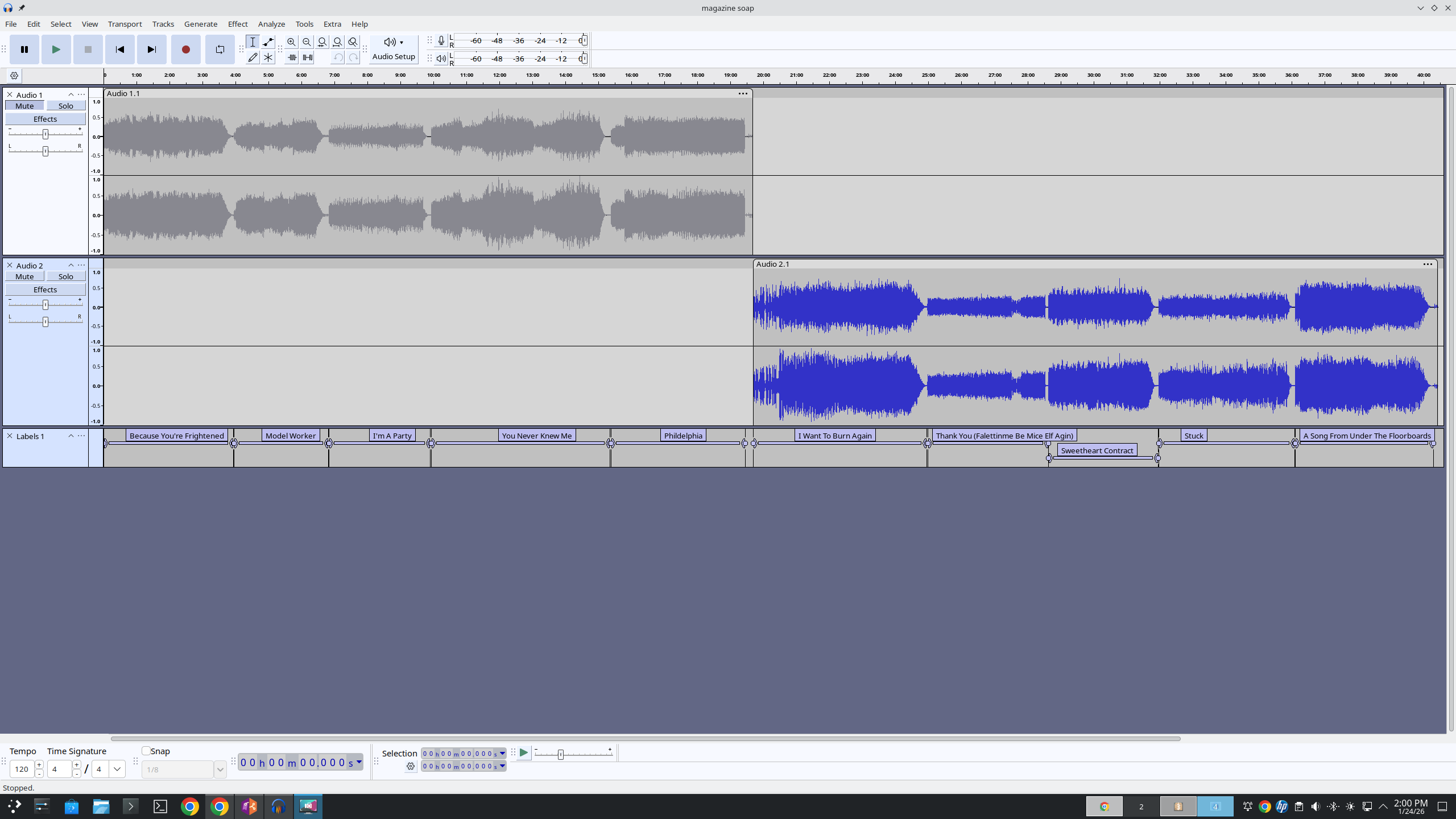
I discovered that when you rip an audio source using Audacity, then run the built-in exporter to create individual music files, you must remember to un-mute the source track before exporting. Duh.
I ripped an old Magazine vinyl record (The Correct Use of Soap)) last week. My process is to rip each LP side to separate tracks, then cut the individual songs to their own segments with labels. Then I clean the ticks and pops and amplify everything before exporting to FLAC files for my server.
Kelly and I set out for V Pizza last night and I pulled the Magazine album up in Symfonium and touched the play control and…crickets. Next song, the same. Tried another recent rip (Mott the Hoople’s Brain Capers) -same thing! I tried a few older items to make sure it wasn’t the audio app, but everything else worked fine.
When we arrived back home, I pulled up the original Audacity project files and that’s when I discovered, on both albums, that the A-side track was in Mute mode in the app – but not the B-Side in both cases. I opened Navidrome, pulled up the magazine album and clicked through each song’s start…and when I hit the first track from the B-side, I heard the music. Again – duh.
The fix was easy – un-mute the track, re-export the songs, push to the server, issue solved.
Don’t do this.